The Rise of Local AI (and Why It Won’t Replace Cloud AI)
Artificial Intelligence (AI) is fast becoming commonplace in our daily lives. If you made it through the AI vendor hype in 2024 and 2025, you’ve probably learned at least a few things about what AI, machine learning (ML) models, and large language models (LLMs) are. And chances are, this year your organization is having you complete a plethora of different training courses in hopes you’ll become efficient at leveraging it.
Cloud AI:
When leveraging AI, you’re most likely interacting with an LLM hosted on some powerful Linux server in the cloud across the Internet. You could interact with this cloud LLM using a website (e.g., chatgpt.com, copilot.microsoft.com, or gemini.google.com), or from an app that runs on your phone or computer (e.g., Android Gemini, Microsoft Copilot, or Claude Code). Many other apps also have built-in AI features that connect to some cloud LLM for functionality (e.g., the AI features of Microsoft Office, Slack, or Grammarly).
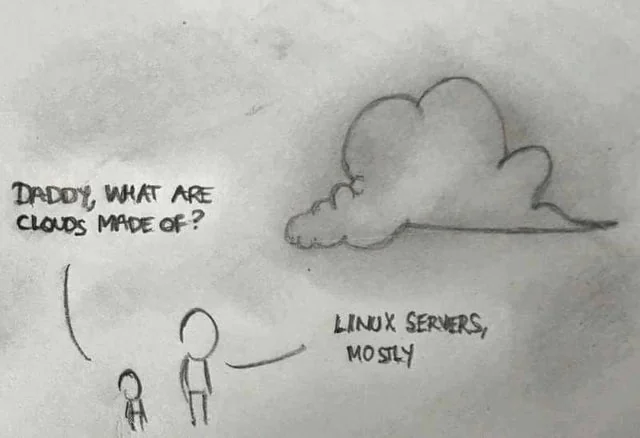
If you’ve been keeping up with AI-related news recently, you’ll know the downside to how things are working today: Cloud AI is extremely expensive to operate, and in most cases not profitable at scale.
But the AI landscape is changing, and it’s the biggest architectural shift in personal computing since the cloud: the move from cloud-first AI to increasingly local-first AI. After all, running AI locally doesn’t require expensive cloud infrastructure, or even Internet connectivity (which is important in environments with unstable Internet access). Plus, local AI can still learn user habits and adapt to personal data.
A quick clarification: when I refer to “local AI” in this post, I’m primarily referring to local LLMs and other smaller/specialized models running on-device.
Local AI:
In an earlier blog post, I discussed how you can run LLMs locally using Ollama, which is ideal for software developers looking to add AI features to their work. But it requires you have a high-end computer with plenty of memory, as well as a powerful central processing unit (CPU), graphics processing unit (GPU), or neural processing unit (NPU), and enough storage space for the models you download (which can be quite large). And even if you have all of this hardware on your personal computer, smaller models perform incredibly slow compared to their cloud counterparts.
That’s why developers who must run these local LLMs in a performant way use the same server hardware that is used in the cloud… such as a Grace Blackwell desktop supercomputer like the NVIDIA DGX Spark. But while the DGX Spark can run these models like a cloud server does, it uses an insane amount of resources (the memory often balloons to over 100GB, depending on the task!):

That said, running LLMs locally doesn’t have to be costly. Chances are that you already have some LLMs and other specialized models running locally on your computer or phone already, and used for the Copilot+ features of Windows, Siri features of macOS/iPhone, or Gemini features of Android. These models are either smaller and designed for a specific task, or less precise ("quantized") versions of larger general-purpose LLMs and heavily optimized for on-device efficiency.
There are some apps that can interact directly with these models. For example, to interact with the local Siri LLMs built into macOS, you can install and use Apfel on your Mac:

But don’t get too excited… while they’re excellent for short prompts, context-aware apps, and privacy-conscious tasks, they struggle with long-form reasoning, complex multi-step queries, and detailed code generation. Plus, there are just some topic areas that they weren’t trained on and can’t help you with. For any of those things, you’ll need to use a cloud LLM.
These local models were never designed as a replacement for cloud LLMs. Instead, they were designed to augment the user experience: autocomplete, rewriting, automation, transcription, summarization, image editing – but not deep reasoning or anything requiring huge context or knowledge. And right now, Apple, Microsoft, Google, and Qualcomm are all doing different things in this space, which makes watching the evolution confusing to say the least.
Will this change in the future? Yes, absolutely! Which brings us to our next question:
What will the future look like when it comes to local vs cloud LLMs? Local LLMs are definitely going to do a lot more in the future, but the big hardware in the cloud isn’t going away – so we’ll see them both being leveraged together as part of a hybrid AI strategy.
Hybrid AI strategy
Now, what will the future hybrid AI strategy look like? Well, firstly, the operating system (OS) on your computer or phone will become an AI orchestrator that manages which tasks are run on which models. It’ll weigh factors like latency, cost, privacy, and security when making these decisions, and will likely perform some sort of intelligent results caching. For example, it will likely use local models for anything that processes files, messages, and personal information, as well as keep results locally unless you specify otherwise. And at some point, vendors will likely work together to create a standard LLM framework for this.
User experience tasks will likely be performed exclusively on your local computer or smartphone using smaller, smarter models that run solely on the device NPU. However, most tasks you currently use cloud LLMs for will likely be performed using quantized LLMs on your local computer or smartphone running on either the CPU or GPU. And these quantized LLMs will leverage their large cloud counterparts only when necessary.
Of course, for very high-end reasoning and complex tasks, cloud LLMs will always be the go-to as they will always have the best hardware behind them.
So, basically, a hybrid AI architecture would look something like this:
- OS as orchestrator
- Local-first for smaller tasks and sensitive data
- Quantized local models for general tasks
- Cloud for high-end reasoning
In other words, local LLMs are not being positioned to replace cloud LLMs, they’re just going to replace parts of your OS. There is definitely a real local LLM movement happening right now that shouldn’t be underestimated, but the real future is hybrid. Local LLMs will always lead in privacy, security, latency (faster response), and cost. Cloud LLMs will always lead in compute and complexity, and the breadth of abilities that come with those things.
Essentially, what looks like a shift from cloud to local AI right now is actually the emergence of this hybrid model itself, where each plays a fundamentally different role. Imagine summarizing a confidential PDF – a sample AI workflow could be:
- The file is parsed by a local LLM (tagging sensitive data)
- The local LLM summarizes the data and provides the results to the user
- If the user requires deeper summarization or analysis, the local LLM sends a condensed version (with the sensitive data masked or omitted) to a cloud LLM and refines the result before providing it to the user
Right now, many software developers are designing specifically for hybrid AI workflows in a way that makes the most sense, as well as experimenting with how to properly leverage multiple LLMs in layered, centralized, and decentralized ways.
Of course, this hybrid future isn’t guaranteed to be smooth. Local models may lag significantly in capability for a while, and hardware fragmentation (i.e., different hardware vendors doing things their own way) could slow adoption. Some developers may even resist multi-model complexity in their designs. But despite these challenges, it’ll eventually happen. It’s just a matter of time. And I’m looking forward to watching it take shape over the next few years.